“This post contains affiliate links. If you click and make a purchase we may earn a small commission at no extra cost to you. We only recommend tools we genuinely believe in.”
Best AI Tools for Teachers in 2026 — Tested & Honestly Reviewed
Between lesson planning, marking, parent emails, and everything else on your plate — who has time to test every new AI tool that comes out? That is exactly why we built Smart Staff Room. We test them so you do not have to.
This guide covers the best AI tools for educators in 2026 — from primary school teachers to university lecturers. We have personally tested every tool on this list and ranked them based on real usability, time savings, pricing, and how well they actually fit into a teaching workflow.
Whether you are looking for a lesson planning assistant, a grading tool, or something to help with differentiation — this is your complete starting point.
What Makes a Great AI Tool for Educators?
Before we dive in — not all AI tools are created equal. A great AI tool for educators needs to tick these boxes: it must be easy enough to use without a tech background, it must save meaningful time on real tasks, and the output must be good enough to use with minimal editing.
We tested every tool on this list by running real classroom tasks through it — lesson plans, grading rubrics, differentiated materials, and parent communications. Here is what we found.
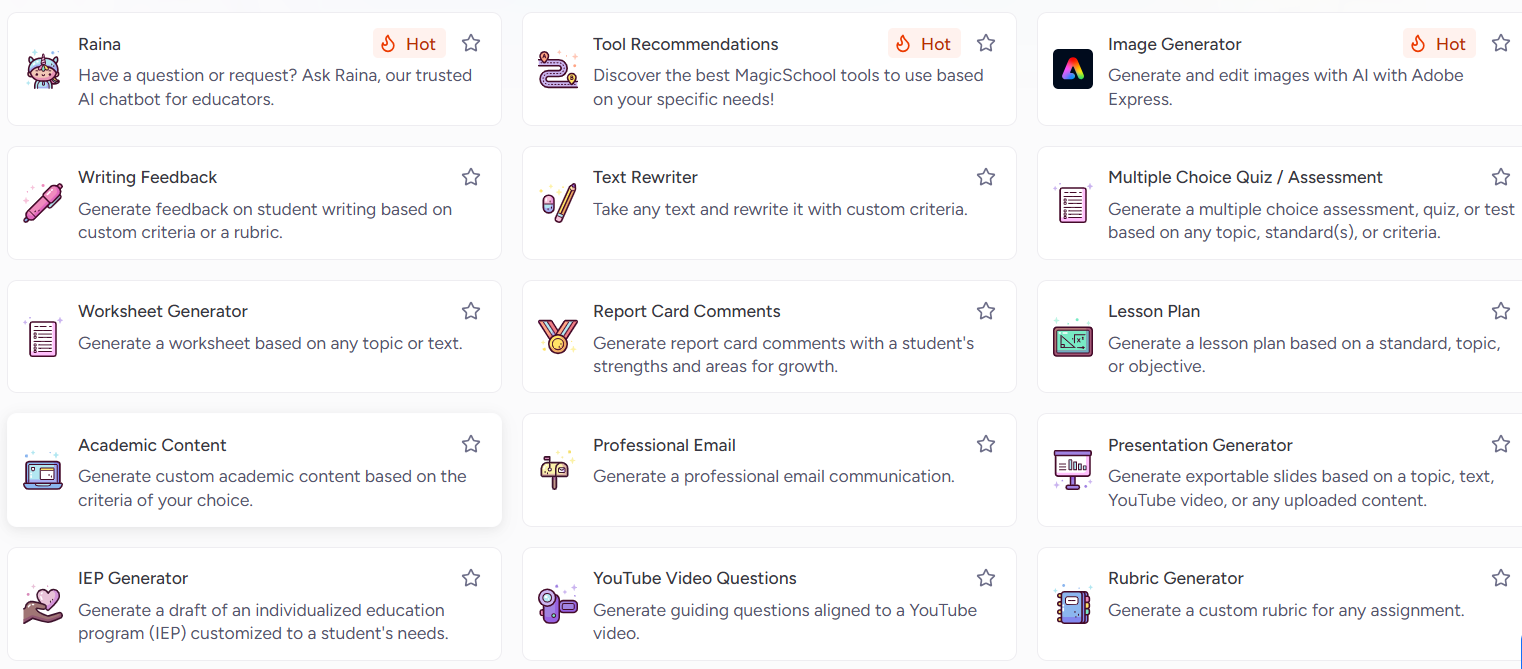
MagicSchool AI is the closest thing to having a teaching assistant that never sleeps. Founded in 2023 by former educators, it now offers over 80 education-specific AI tools under one roof — from lesson plan generators to IEP goal writers to report card comment creators. With over 6 million educators using it across 160+ countries, it has become the most widely used AI platform built specifically for education.
What sets it apart from general AI tools like ChatGPT is that everything is pre-built for education. You do not need to write clever prompts — you just fill in a simple form with your grade level, subject, and topic, and MagicSchool does the rest.
Key Features
- Lesson Plan Generator — Creates complete, standards-aligned lesson plans in under 60 seconds.
- Differentiation Assistant — Paste any text and instantly receive three versions at different reading levels.
- Report Card Comment Generator — Professional comment options ready to personalise in seconds.
- IEP Goal Generator — Measurable, standards-aligned IEP goals based on your inputs.
- Quiz & Assessment Builder — Generate questions on any topic at any difficulty level.
✅ Pros
- 80+ education-specific tools
- Genuinely generous free plan
- Zero learning curve
- Saves 7+ hours per week
❌ Cons
- Free plan has peak-hour limits
- Some outputs need editing for senior levels
- No offline mode
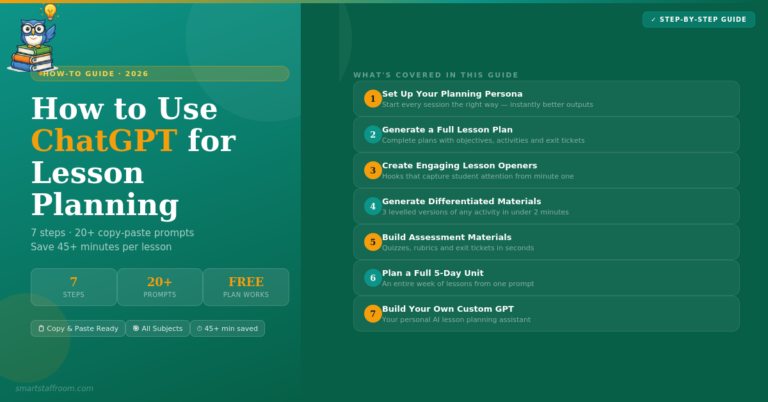
ChatGPT needs no introduction — but what many educators do not realise is just how powerful it is when you know how to prompt it. From writing entire units of work to giving personalised feedback on student essays, ChatGPT can handle almost any educational task you throw at it.
The catch is the learning curve. Unlike MagicSchool AI, ChatGPT does not hold your hand. You need to give it clear, detailed instructions to get consistently good results. Once you get the hang of it though, it is extraordinarily versatile.
Key Features
- Custom GPTs — Create your own AI assistant trained on your specific curriculum or teaching style.
- Essay Feedback — Targeted feedback against a rubric. Works brilliantly for secondary and higher education.
- Lesson & Unit Planning — Detailed multi-week units of work aligned to any curriculum.
- Parent Communication Drafting — Professional parent emails from rough notes in seconds.
- Explain Anything — Any concept at any level, from Year 3 to university.
✅ Pros
- Extraordinarily versatile
- Free plan is very capable
- Works for all levels and subjects
- Constantly improving
❌ Cons
- Requires good prompting skills
- Not built specifically for education
- Can occasionally give inaccurate info
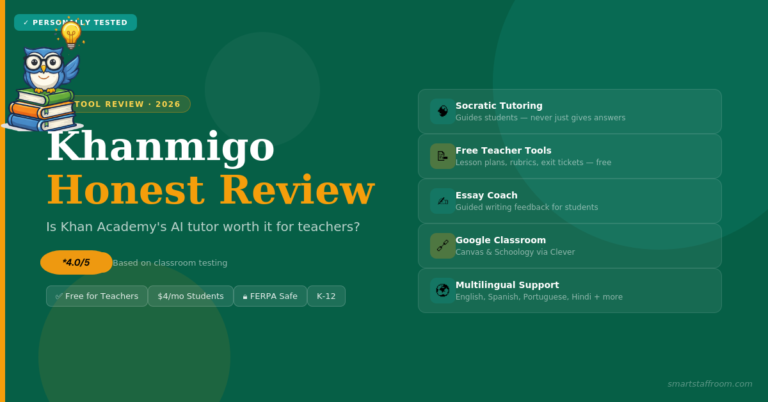
Khanmigo is designed for students, not teachers. Built by Khan Academy, it uses Socratic questioning to guide students toward answers rather than simply giving them answers. This makes it genuinely educationally valuable rather than just a homework shortcut.
Key Features
- Socratic Tutoring — Guides students through problems with questions rather than answers.
- Essay Coaching — Targeted feedback and guided revision for student writing.
- Teacher Dashboard — Monitor what your students are working on.
- Debate Practice — Students practice constructing and defending arguments on any topic.
✅ Pros
- Pedagogically sound approach
- COPPA and FERPA compliant
- Teacher monitoring dashboard
- Builds genuine student skills
❌ Cons
- Limited free plan
- Less useful for teacher admin tasks
- Best for certain age groups only
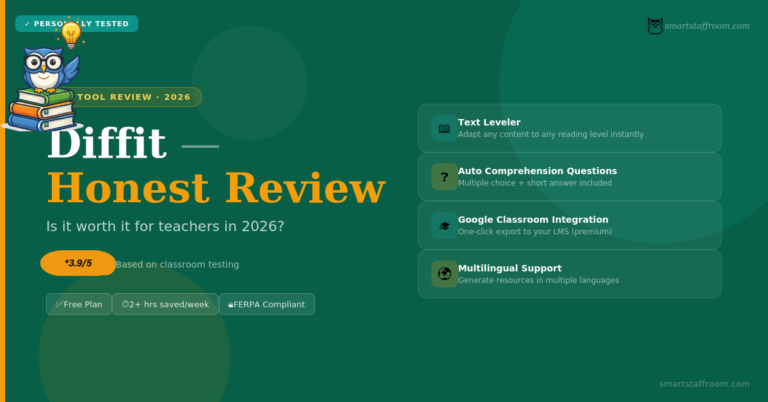
Diffit does one thing and does it brilliantly — it takes any text, article, or topic and instantly produces a version adapted to your target reading level. Within seconds you have a differentiated reading resource complete with comprehension questions.
Key Features
- Text Leveler — Adapts any content to a specific grade or reading level instantly.
- Auto-Generated Comprehension Questions — Multiple choice and short answer questions included automatically.
- Vocabulary Support — Identifies and defines key vocabulary for each level.
- Google Classroom Integration — Push materials directly to Google Classroom with one click.
✅ Pros
- Incredibly easy to use
- Google Classroom integration
- Massive time saver for differentiation
- Strong free plan
❌ Cons
- Narrower scope than MagicSchool
- Paid plan is pricier than competitors
- Less useful for higher education
Most educators already use Canva — but the AI features added in recent years have taken it to another level entirely. Magic Write drafts text, Magic Design generates complete layouts from a prompt, and the AI image generator creates custom illustrations instantly.
Key Features
- Magic Write — AI text generator built directly into Canva.
- Magic Design — Describe what you need and get a complete professional layout in seconds.
- AI Image Generator — Custom, copyright-free illustrations for any classroom resource.
- Canva for Education — Free Pro access for verified teachers and students.
✅ Pros
- Free Pro for verified educators
- Beautiful, professional outputs
- Huge template library
- Easy to learn
❌ Cons
- AI features are a bonus, not the core
- Can be slow on older devices
- Free image generations are limited
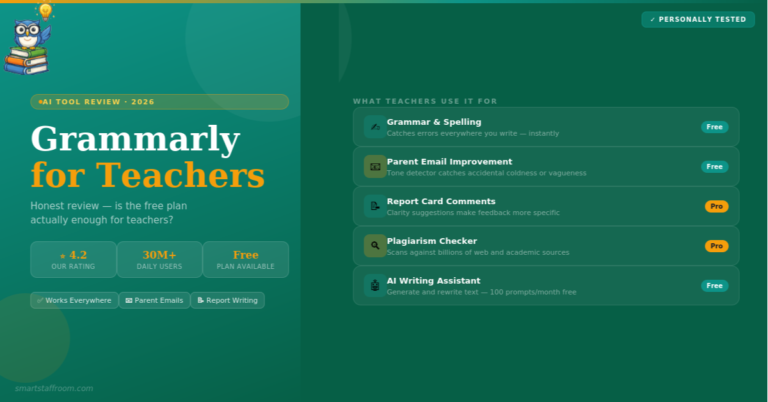
Grammarly has evolved far beyond a spell checker. Its AI writing assistant helps educators draft professional emails, reports, and communications with the right tone and clarity. The free version alone is worth installing.
Key Features
- AI Writing Assistant — Rewrites sentences, adjusts tone, and improves clarity.
- Tone Detector — Checks whether your writing comes across as intended.
- Plagiarism Checker — Premium feature that checks student work against billions of web pages.
- Works Everywhere — Browser extension, Google Docs, Microsoft Word, and email clients.
✅ Pros
- Works across all platforms
- Free version is genuinely useful
- Saves time on communication
- Improves professional image
❌ Cons
- Best features are behind paywall
- Not built for lesson content creation
- Can over-correct casual writing
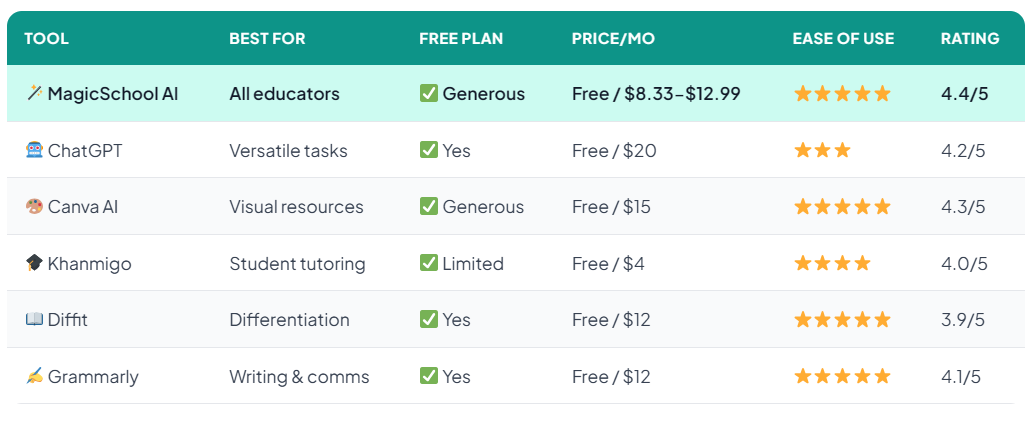
Quick Comparison — All 6 Tools at a Glance
Not sure which tool to start with? Here is a side-by-side comparison to help you decide:
Which Tool Should You Start With?
If you are completely new to AI tools and want the fastest most obvious time savings — start with MagicSchool AI. Sign up for the free plan today and run your next lesson plan through it. You will be converted within 10 minutes.
If you are already comfortable with AI tools and want maximum flexibility — add ChatGPT to your workflow. It takes longer to learn but the ceiling is much higher.
If your biggest challenge is differentiating materials for mixed ability groups — go straight to Diffit. It solves that specific problem better than anything else on this list.
Frequently Asked Questions
Ready to Save Hours Every Week? 🦉
Start with MagicSchool AI — it is free, takes 2 minutes to set up, and you will see the difference on your very first lesson plan.
Try MagicSchool AI Free → Browse More Reviews🦉 Join 1,000+ Educators
Weekly AI tool reviews · Free resources · No spam
By subscribing you agree to receive weekly emails from Smart Staff Room. Unsubscribe anytime.
Last updated: March 2026.