“This post contains affiliate links. If you click and make a purchase we may earn a small commission at no extra cost to you. We only recommend tools we genuinely believe in.”
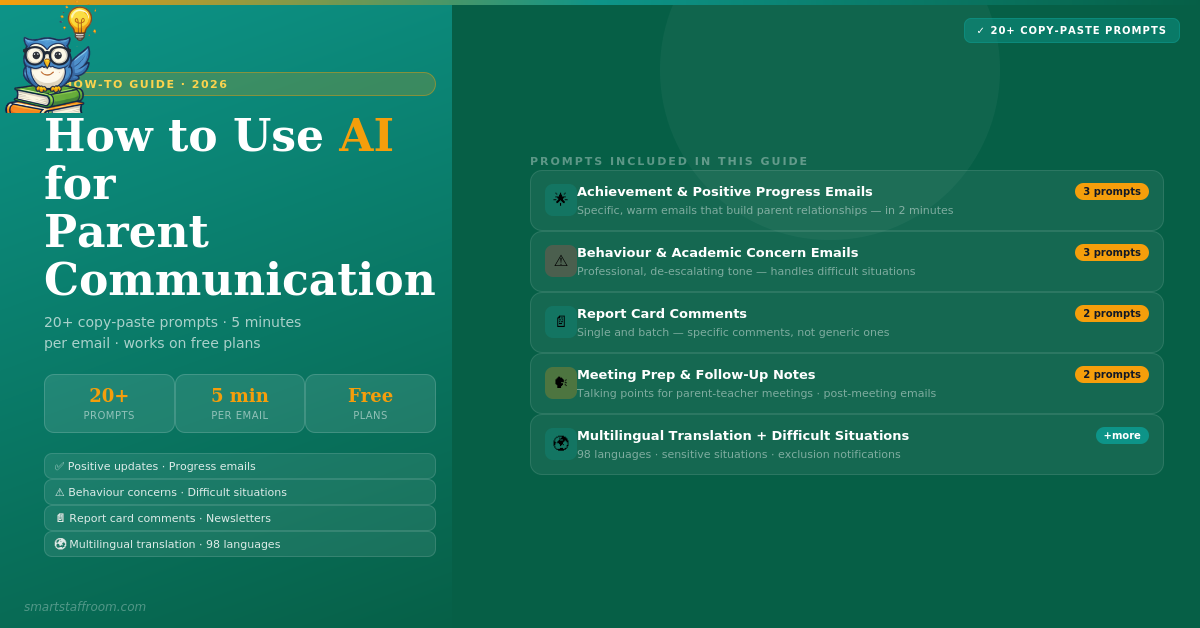
Teachers spend an average of 5.3 hours per week on parent communication. That is the third biggest non-instructional time drain in teaching — after grading and lesson planning. AI can cut that time dramatically without sacrificing the personal touch parents value. Here is exactly how to do it, with 20+ copy-paste prompts.
Parent communication is one of those tasks where most teachers feel the pressure constantly — not just the volume of emails, but the emotional weight of getting the tone exactly right. A difficult behaviour email that comes across as accusatory. A progress update that is too generic to mean anything. A newsletter drafted at 10pm after an already exhausting day. AI does not replace the professional judgment and personal knowledge of the student that teachers bring — but it handles the drafting, leaving teachers to focus on what only they can do: personalise, verify, and send.
⚡ What You Will Find in This Guide
20+
Copy-Paste Prompts
6
Communication Types
Free
Works on Free Plans
5 min
Setup Time
5 hrs
Avg Saved per Week
All
Tools Covered
Which AI Tools Work Best for Parent Communication?
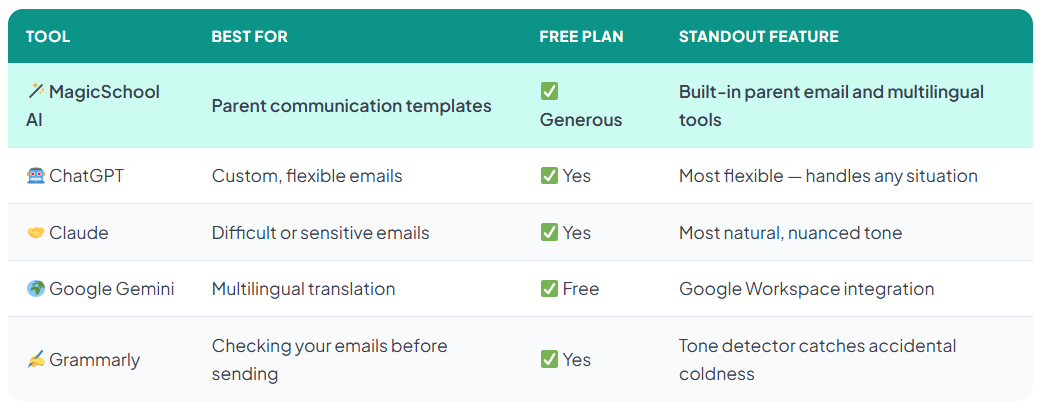
All of the prompts in this guide work with ChatGPT, MagicSchool AI, Claude, or Google Gemini. Each has slightly different strengths for parent communication:
🤖 ChatGPT — most flexible, best for custom situations
🪄 MagicSchool AI — fastest, built-in parent email tools
🤝 Claude — best tone, most natural-sounding emails
🌍 Gemini — best for multilingual translation
MagicSchool AI has dedicated parent communication tools — the Parent Communication tool, the Multilingual Communication tool, and the Behaviour Referral Email tool — that produce results without any prompting expertise. For teachers new to AI, start there. For maximum flexibility and customisation, use ChatGPT with the prompts below.
⚠️ Privacy reminder: Never input student full names, dates of birth, or other identifying information into AI tools. Use first names only or generic descriptions like “a Year 5 student.” Always review AI-generated emails before sending — you are responsible for every word that goes out under your name.
How to Set Up Your AI for Parent Communication
Before using any of the prompts below, set up a persona in your AI tool. This one-time setup dramatically improves every output you get:
Open ChatGPT (or your preferred AI tool)
Start a new conversation. You can save this as a custom GPT or just copy it at the start of each session.
Paste your persona prompt first
Copy and use the Teacher Persona prompt below before any other prompt. This gives the AI the context it needs to produce consistently professional results.
Fill in the square brackets
Every prompt below has [square brackets] for you to fill in. Replace these with your actual details before submitting.
Review every output
AI produces a first draft. Always read it, personalise it further where needed, and verify all details before sending. You are the author — AI is your assistant.
👤
Step 1 — Your Teacher Persona Prompt
Paste this first in every session for best results
Paste this at the start of every AI session for parent communication. It sets the context and dramatically improves every output that follows.
🎯 PERSONA SETUP PROMPT
You are helping me — a [primary/secondary/higher education] teacher — draft professional parent communication. I teach [subject] to [age group/year group]. My school is [brief description — e.g. a state primary school in the UK / a private middle school in the US]. My communication style should be: warm but professional, clear and jargon-free, solution-focused, partnership-oriented (treating parents as allies, not adversaries), and always end with an invitation for dialogue. Never use generic openers like “I hope this email finds you well.” Always use everyday language a non-teacher parent would understand. Keep emails to 150-200 words unless I specify otherwise.
💡 Save this as a custom instruction in ChatGPT settings so you never have to paste it again.
🌟
Positive Progress Emails
Celebrate achievements and build strong home-school relationships
Positive communication is the most powerful relationship-builder with parents — and the most neglected because it is not urgent. AI makes it easy to send genuine, specific positive updates that take 2 minutes instead of 15.
✅ ACHIEVEMENT EMAIL
Draft a brief, warm email to the parent of [student first name], a [year/grade] student. This week [he/she/they]: [describe specific achievement or positive behaviour — e.g. “helped a classmate who was struggling without being asked” / “showed a significant improvement in their written work” / “delivered a confident and well-prepared presentation”]. The parent’s name is [parent name]. Tone: warm, specific, genuine. Length: 100-130 words. Do not use generic phrases like “a pleasure to have in class.” Make it feel personal and specific.
💡 Sending one positive email per week builds enormous parent goodwill that makes every difficult conversation easier.
📈 PROGRESS UPDATE EMAIL
Write a mid-term progress update email for the parent of [student first name]. Current performance: [subject area and level — e.g. “reading is now at grade level after being below at the start of term”]. Key strength: [specific strength]. Area still developing: [one area for growth]. What we are doing in school: [brief description]. One thing parents can do at home: [specific suggestion]. Tone: encouraging and partnership-focused. Keep it under 180 words. End with an invitation to contact me with any questions.
💡 The “one thing parents can do at home” section is the most valuable part — it gives parents agency and creates genuine home-school partnership.
📰 WEEKLY CLASS NEWSLETTER
Write a brief, friendly weekly newsletter for parents of my [year/grade] class. This week we: [bullet points of what the class covered — e.g. “started our unit on fractions / completed our science investigation / read chapters 3-5 of our class novel”]. Coming up next week: [upcoming content, assessments, or events]. Homework this week: [describe homework]. Anything parents should know: [optional — events, reminders, requests]. Tone: friendly and engaging, not overly formal. Length: 150-200 words. Use a brief friendly subject line suggestion too.
💡 Batch these at the end of each week. Takes 3 minutes with AI versus 20 minutes from scratch. Parents who feel informed are far more supportive.
⚠️
Concern and Behaviour Emails
The hardest emails to write — AI helps get the tone exactly right
Concern emails are the most emotionally demanding communication teachers write. Getting the tone wrong — too accusatory, too vague, or too apologetic — makes difficult situations worse. AI drafts a balanced, professional starting point that you then refine with your knowledge of the family.
😟 BEHAVIOUR CONCERN EMAIL
Draft a professional, solution-focused email to the parent of [student first name] about a behaviour concern. The situation: [describe the behaviour specifically — e.g. “has been consistently disrupting group work activities by talking over classmates and not following instructions to refocus”]. What I have already done in school: [describe steps taken — e.g. “spoken to the student privately twice this week and adjusted their seating”]. What I am asking from home: [specific request — e.g. “a conversation at home reinforcing the importance of respecting others during group time”]. Tone: professional and matter-of-fact, not accusatory. The email should treat the parent as a partner not an adversary. No jargon. Under 200 words. End with an offer to discuss further by phone or in person.
💡 Always describe what you have already tried — this shows professionalism and prevents parents feeling they are the first line of intervention.
📉 ACADEMIC CONCERN EMAIL
Write a supportive, solution-focused email to the parent of [student first name] about an academic concern. The concern: [describe specifically — e.g. “missing three homework assignments in the past two weeks” / “recent assessment scores showing a significant drop from last term”]. Context: [any relevant background — e.g. “this is unusual for them as they were previously very consistent”]. What I am doing in school: [e.g. “offering a lunchtime catch-up session and providing additional scaffolding in class”]. What would help at home: [specific, achievable suggestion]. Tone: concerned but not alarming, supportive and solution-focused. Under 200 words. Invite the parent to share anything from home that might be relevant.
💡 The invitation at the end — “if there is anything from home that might be relevant” — is powerful. It opens dialogue without putting parents on the defensive.
😤 RESPONDING TO AN UPSET PARENT
Help me draft a professional, de-escalating response to a parent email. The parent’s concern: [summarise what the parent said — e.g. “they are upset that their child received a lower mark than expected and feel the marking was unfair”]. My position: [e.g. “the mark was applied consistently using the shared rubric and I am willing to walk through it with them”]. Tone: calm, empathetic, professional. Acknowledge their concern genuinely without being defensive or apologetic where the decision was correct. Offer a next step — phone call or meeting. Under 180 words. No corporate language or dismissive phrases.
💡 Never write a response to an upset parent email immediately — draft it with AI first, then sleep on it before sending. The emotional distance saves relationships.
🗣️
Parent-Teacher Meeting Preparation
Prepare talking points and follow-up notes in minutes
Parent-teacher meetings are high-stakes, time-pressured conversations. AI helps you prepare structured talking points so you walk in confident, and document outcomes immediately after.
📋 MEETING TALKING POINTS
Prepare structured talking points for a 10-minute parent-teacher meeting for a [year/grade] student. Student summary: [academic level, key strength, one main area for development, any behaviour or social considerations]. The parent’s likely concern based on previous communications: [e.g. “worried about their child’s confidence in maths”]. What I want to communicate: [your main message — e.g. “progress is good, specific next steps, one concrete thing for home”]. Format: 4-5 bullet points I can glance at during the meeting. Include a suggested opening line that is warm and specific, not generic.
💡 Print or put these on your phone. Having a clear structure means you cover everything important even in a 10-minute slot.
📝 POST-MEETING FOLLOW-UP EMAIL
Write a brief follow-up email after a parent-teacher meeting with the parent of [student first name]. What was discussed: [bullet points of key points covered — e.g. “strong progress in reading / concern about homework completion / agreed to trial a reading log at home”]. Actions agreed: [what the teacher will do / what the parent will do]. Next check-in: [e.g. “I will send a brief update in two weeks”]. Tone: warm, professional, summarising rather than rehashing. Under 150 words. This is a record of the meeting and a relationship-builder.
💡 A follow-up email after every meeting shows professionalism and creates a paper trail. Takes 3 minutes with AI. Parents consistently say this makes them feel valued.
📄
Report Card Comments
Personalised, specific comments in seconds — not hours
Report writing is where AI saves the most time. The key is specificity — the more specific data you give the AI, the more specific and useful the comment it produces. “Math: B+” produces a generic comment. “Math: B+, strong in multiplication tables, struggles with written division, improved from C+ last term” produces a genuine, personalised observation.
📝 SINGLE REPORT COMMENT
Write a personalised report card comment for a [year/grade] student in [subject]. Key data: [academic level and current grade — e.g. “working at expected level, B grade”]. Specific strength: [e.g. “particularly strong in creative writing — produces vivid, well-structured narratives”]. Area for development: [e.g. “struggles to punctuate complex sentences accurately”]. Progress this term: [e.g. “improved significantly from the start of term when writing lacked structure”]. Attitude and effort: [e.g. “works hard and responds well to feedback”]. Length: 60-80 words. Tone: honest, encouraging, and specific. Never use generic phrases like “a pleasure to teach.” End with a clear next step.
💡 A comment that takes 15 minutes manually takes 2-3 minutes with AI — a comment that takes 15 seconds to give the AI your data points produces a far better result than starting from scratch.
📑 BATCH REPORT COMMENTS (multiple students)
Generate personalised report card comments for the following [year/grade] students in [subject]. For each student, write a 60-80 word comment that is specific, honest, and ends with a next step. Do NOT repeat the same phrases across comments.
Student 1: [Name/ID], Grade: [grade], Strength: [specific strength], Development area: [specific area], Progress: [trajectory], Effort: [effort level]
Student 2: [Name/ID], Grade: [grade], Strength: [specific strength], Development area: [specific area], Progress: [trajectory], Effort: [effort level]
Student 3: [Name/ID], Grade: [grade], Strength: [specific strength], Development area: [specific area], Progress: [trajectory], Effort: [effort level]
Continue for as many students as needed. Ensure each comment sounds distinct and genuinely individual.
💡 Do 5-6 students at a time for best quality. Providing rich data for each student is the key — the more you give, the better the output. Total report writing time can drop from 8+ hours to under 2 hours.
🌍
Multilingual Parent Communication
Reach every family in their home language — instantly
For schools with multilingual families, AI translation is one of the highest-impact tools available. Families who receive communication in their home language engage significantly more with their child’s education. MagicSchool AI’s Multilingual Communication tool is the most dedicated option — it translates into 98 languages with educational context built in.
🌏 TRANSLATE PARENT EMAIL
Translate the following parent email into [target language — e.g. Spanish / Mandarin / Arabic / Polish]. Maintain the warm, professional tone of the original. Use straightforward everyday language appropriate for a parent reading a school communication — not overly formal or bureaucratic. If any educational terms do not translate directly, use the closest natural equivalent a parent would understand.
[Paste your English email here]
After the translation, note any terms that were particularly difficult to translate directly and what equivalent you used.
💡 Always have a fluent speaker review translations before sending for important communications. AI translation is excellent for routine updates but verification matters for sensitive messages.
📋 TRANSLATE SCHOOL NEWSLETTER
Translate the following school newsletter into [target language]. This is for families who may not be fluent English readers. Use clear, simple language throughout. Keep the friendly and informative tone of the original. Format the translation to match the original structure.
[Paste newsletter here]
💡 MagicSchool AI’s Multilingual Communication tool handles this with one click — it is FERPA compliant and designed specifically for school communication translation.
🔴
Difficult Situation Emails
Safeguarding referrals, exclusions, sensitive topics — handled with care
Some parent emails require extreme care — safeguarding notifications, exclusions, sensitive family circumstances, or situations where emotions on both sides are running high. AI can help draft these but always follow your school’s formal procedures and have a senior leader review before sending.
🚨 SENSITIVE SITUATION EMAIL
Help me draft a brief, professional email to a parent about a sensitive situation. The situation: [describe in general terms without identifying details]. What I need to communicate: [the key message]. What I cannot say in writing: [any information that must be handled verbally or through formal channels]. The email should invite the parent to contact us urgently by phone to discuss further — it should not contain all the details. Tone: calm, professional, genuinely caring. Under 120 words. I will have this reviewed by my headteacher before sending.
⚠️ Always have sensitive emails reviewed by a senior leader before sending. This prompt is a drafting aid, not a substitute for following your school’s safeguarding and communication protocols.
🏫 EXCLUSION / SERIOUS INCIDENT NOTIFICATION
Draft a formal notification email to a parent about a serious behavioural incident. The incident: [describe factually and without emotion — what happened, when, who was involved in general terms]. The school’s response: [what action has been taken]. Next steps: [what happens now — e.g. meeting requested, temporary exclusion, review meeting]. Tone: formal, factual, professional. No emotional language. Under 200 words. Include that the parent can contact [role — e.g. the headteacher] to discuss further. Note: this draft will be reviewed and approved by school leadership before sending.
⚠️ Exclusion letters and serious incident notifications must follow your school or district’s formal procedures and legal requirements. Use AI for the initial draft only — final version requires leadership approval.
Best AI Tools for Parent Communication — Quick Comparison
All the prompts above work with any AI tool, but each platform has specific strengths for parent communication:
“Our recommended workflow: Draft with ChatGPT or MagicSchool AI → check tone with Grammarly → translate with MagicSchool AI or Gemini for multilingual families → review and personalise → send. Total time per email: 3-5 minutes versus 15-20 minutes from scratch.”
Frequently Asked Questions
Is it ethical to use AI for parent emails? +
Yes — with the right approach. Using AI to draft parent emails is no different from using a template, getting a colleague to proofread, or using autocorrect. The ethical requirement is that you review every AI-generated email, personalise it with your genuine knowledge of the student and family, and send it as a professional who takes responsibility for every word. AI produces the draft — you provide the professional judgment, personal knowledge, and final approval. Never send an AI email without reading and editing it first.
Can parents tell if an email was written by AI? +
If you personalise the AI output properly — adding specific details about the student, adjusting the tone to match your voice, and editing generic phrases — parents cannot tell. If you send AI output without editing, emails can feel slightly generic or formulaic. The solution is always to personalise: add one specific detail about the student, adjust any phrases that do not sound like you, and check the tone matches the relationship you have with that family. A well-personalised AI email is indistinguishable from one written from scratch — and often better structured.
What is the best AI tool for writing report card comments? +
ChatGPT and MagicSchool AI are both excellent for report card comments. MagicSchool AI has a dedicated Report Card Comment Generator that is the fastest option — fill in the form fields and get a comment in seconds. ChatGPT produces the most customisable and natural-sounding comments when you provide rich data points. The key principle for both: give the AI specific data — specific strengths, specific areas for development, the student’s progress trajectory, and their attitude to learning. Generic input produces generic comments. Specific input produces genuinely useful observations that parents value.
How do I make AI parent emails sound like me? +
Three techniques work best. First, always include your Teacher Persona prompt (provided above) at the start of every session — it establishes your voice and context. Second, after generating the email, read it aloud and replace any phrases that do not sound natural to you. Third, add one specific personal detail — a specific observation about the student, a reference to something they said, or a connection to your class context — that only you could know. This personalisation is what makes the difference between an email that sounds like everyone else’s and one that sounds like you.
Start With MagicSchool AI Today 🪄
The built-in Parent Communication tool drafts professional parent emails in seconds — no prompting needed. Free to start, FERPA compliant.
“This post contains affiliate links. If you click and make a purchase we may earn a small commission at no extra cost to you. We only recommend tools we genuinely believe in.” Khanmigo Review 2026 — Is Khan Academy’s AI Worth It? Khanmigo is unlike any other AI tool in education — it is designed…
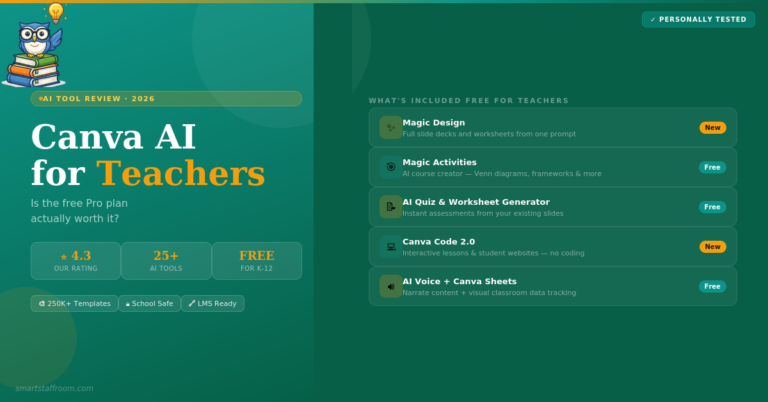
“This post contains affiliate links. If you click and make a purchase we may earn a small commission at no extra cost to you. We only recommend tools we genuinely believe in.” Canva AI Review for Teachers 2026 — Is Free Pro Worth It? Most teachers already use Canva. But the AI features added in…
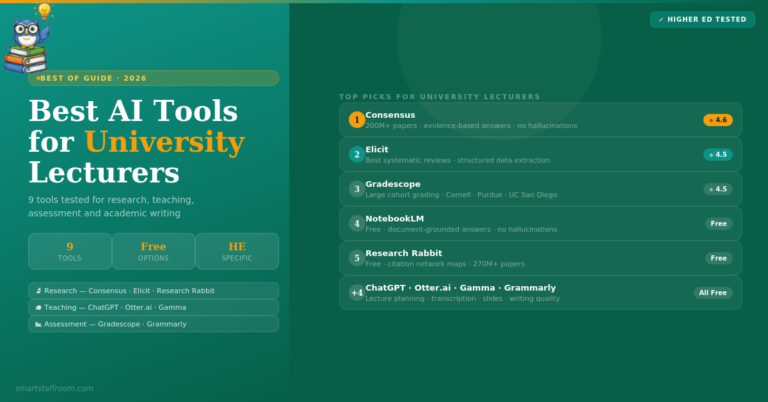
“This post contains affiliate links. If you click and make a purchase we may earn a small commission at no extra cost to you. We only recommend tools we genuinely believe in.” 9 Best AI Tools for University Lecturers in 2026 — Research, Teaching & Grading University lecturers face a uniquely demanding workload — research,…
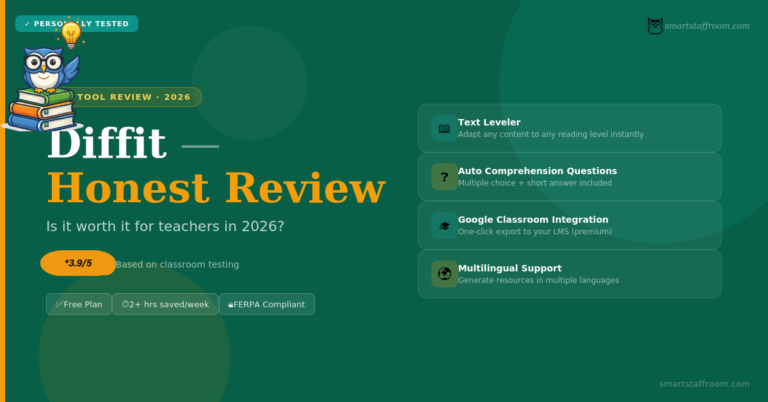
“This post contains affiliate links. If you click and make a purchase we may earn a small commission at no extra cost to you. We only recommend tools we genuinely believe in.” Diffit Review 2026 — Is It Worth It for Teachers? If you teach a mixed ability class and spend hours every week creating…
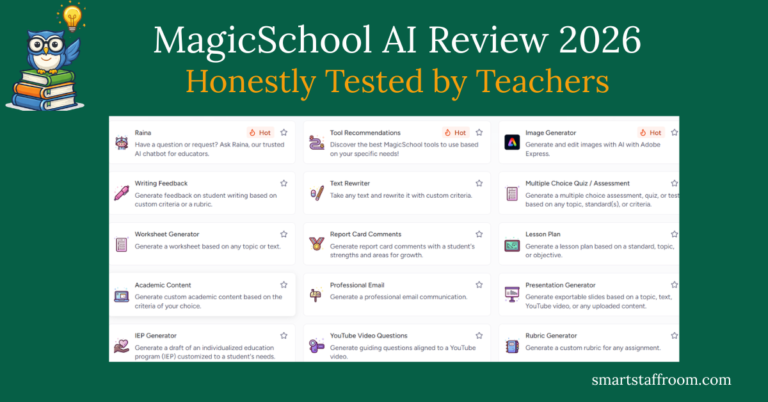
“This post contains affiliate links. If you click and make a purchase we may earn a small commission at no extra cost to you. We only recommend tools we genuinely believe in.” MagicSchool AI Review 2026 — Honestly Tested by Teachers If you have heard other teachers talking about MagicSchool AI and wondered whether it…
“This post contains affiliate links. If you click and make a purchase we may earn a small commission at no extra cost to you. We only recommend tools we genuinely believe in.” 7 Best AI Tools for Lesson Planning in 2026 — Honestly Tested Lesson planning is one of the biggest time drains in teaching…