“This post contains affiliate links. If you click and make a purchase we may earn a small commission at no extra cost to you. We only recommend tools we genuinely believe in.”
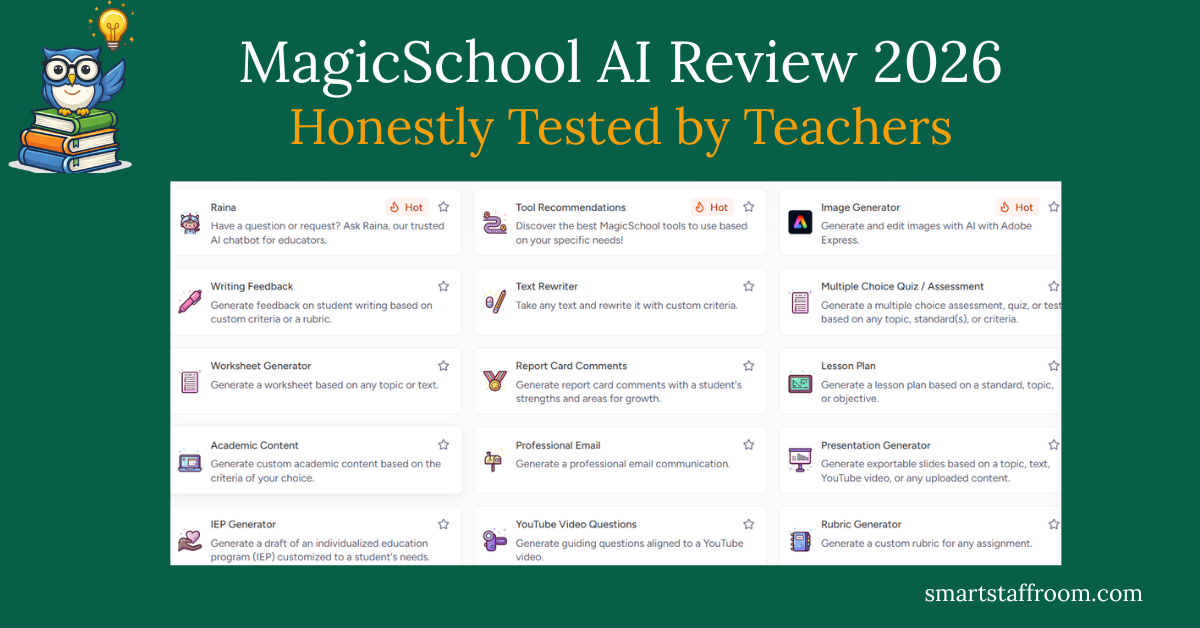
MagicSchool AI Review 2026 — Honestly Tested by Teachers
If you have heard other teachers talking about MagicSchool AI and wondered whether it is actually worth your time — this review is for you. We spent weeks using it for real classroom tasks and here is our completely honest verdict.
MagicSchool AI has become the most widely used AI platform in education — and for good reason. But with over 80 tools on offer, it can feel overwhelming at first. This review cuts through the noise and tells you exactly what it is good for, what its limitations are, and whether you should be using it in your classroom right now.
What Is MagicSchool AI?
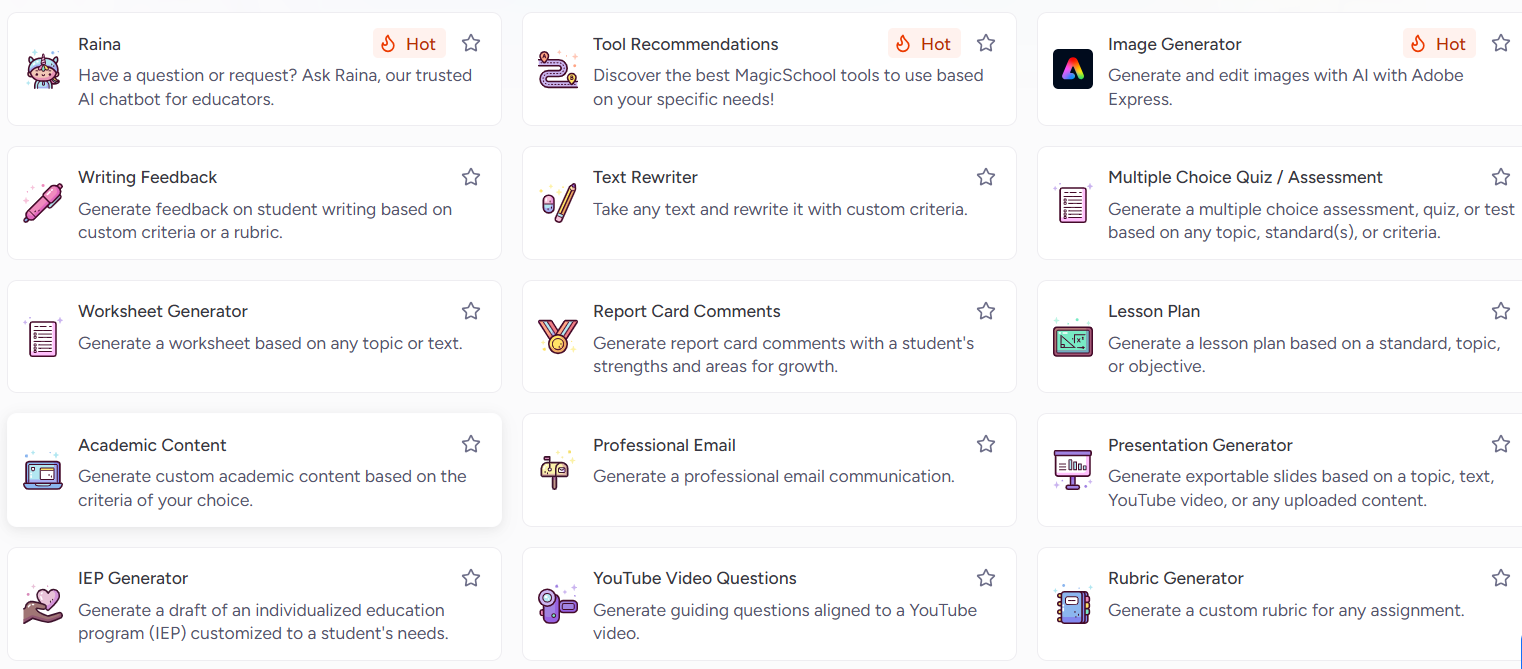
MagicSchool AI is an AI platform built specifically for educators — not adapted from a general business tool, but designed from the ground up with teachers in mind. It was founded in 2023 by former educators Adeel Khan and Khanmigo creator Sal Khan, and has grown to serve over 5 million educators across 160+ countries and 13,000+ school districts worldwide.
The core idea is simple: instead of asking teachers to write clever prompts in a general AI tool like ChatGPT, MagicSchool gives you a menu of 80+ pre-built education tools. You pick the tool you need, fill in a simple form, and get a professional result in seconds. No prompting skills required.
Everything from lesson plan generators to IEP goal writers to report card comment creators lives under one roof — and critically, it is all FERPA and COPPA compliant, which matters enormously when you are working with student data.
MagicSchool AI — Key Features
1. Lesson Plan Generator
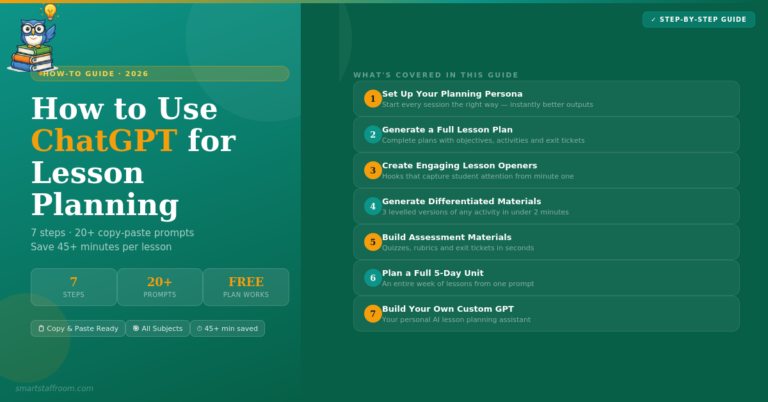
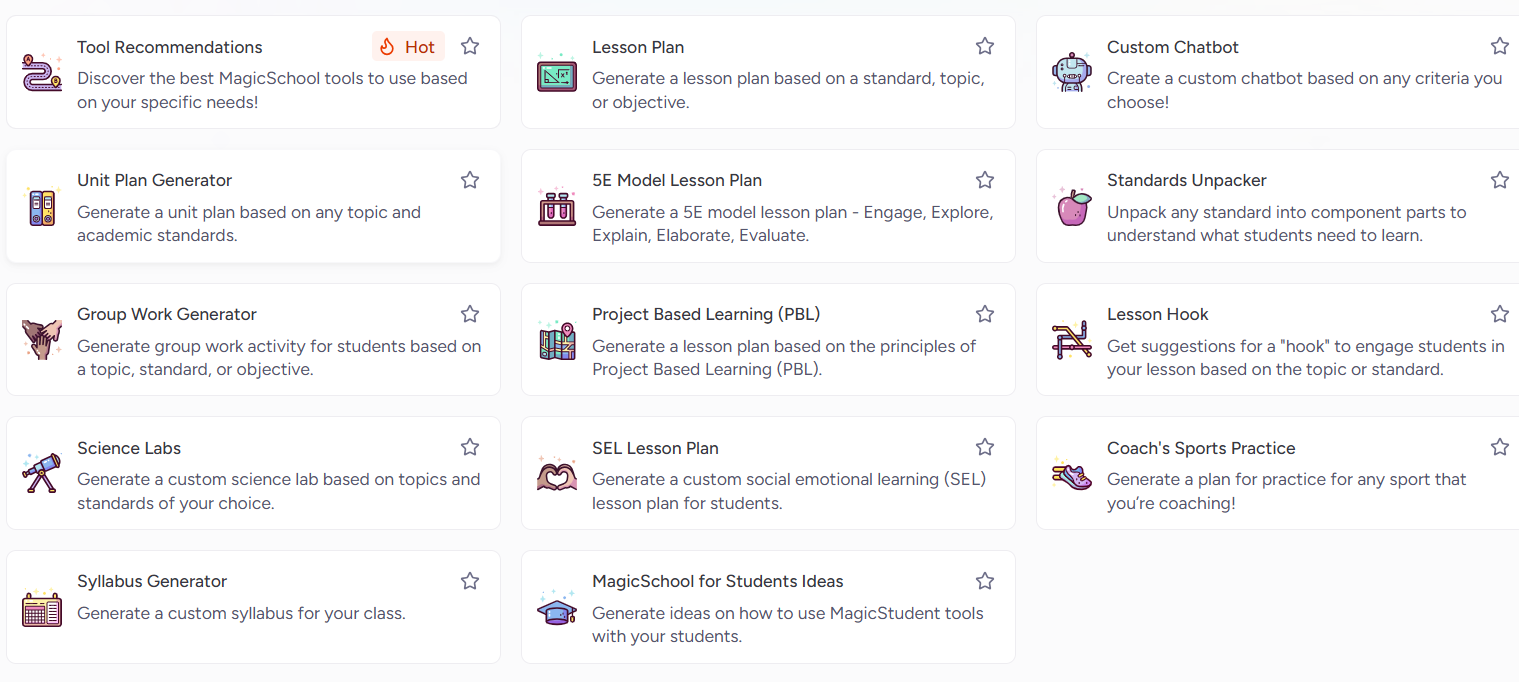
This is the tool most teachers discover first — and the one that converts sceptics immediately. Enter your grade level, subject, topic, and curriculum standard, and MagicSchool produces a complete, structured lesson plan in under 60 seconds. It includes learning objectives, warm-up activities, main activities, differentiation suggestions, and a formative assessment. Teachers consistently report saving 45–60 minutes per lesson plan.
2. Differentiation Assistant
Paste any text and instantly receive versions adapted to different reading levels — above grade level, at grade level, and below. For teachers with mixed ability classrooms, this feature alone is worth signing up for. What used to take 30–45 minutes of manual rewriting now takes under 30 seconds.
3. Report Card Comment Generator
End of term just got significantly less painful. Select performance level, choose your tone, and MagicSchool generates professional comment options ready to personalise. Teachers report saving 2–3 hours per reporting period — which adds up to a full day of time back every year.
4. IEP Goal Generator
For special education teachers, IEP writing is one of the most time-consuming parts of the job. MagicSchool creates measurable, standards-aligned IEP goals based on your student’s specific needs. Special education teachers consistently rate this as their most valuable feature on the platform.
5. Quiz and Assessment Builder
Generate multiple choice, short answer, true/false, and essay questions on any topic at any difficulty level. Export directly to Google Forms or Microsoft with one click. The Plus plan also includes batch assignment feedback — paste in multiple student responses and get personalised feedback on each one simultaneously.
6. Raina — AI Chatbot for Educators
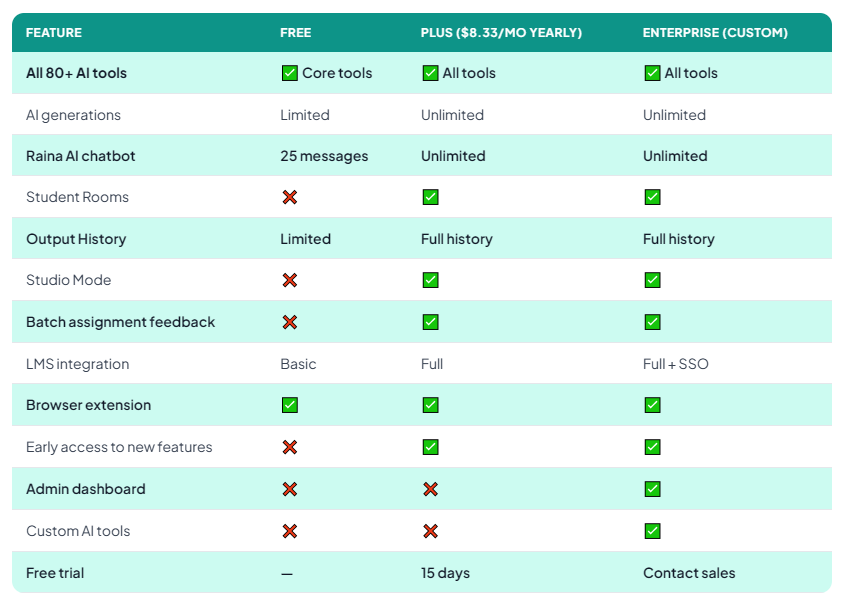
Raina is MagicSchool’s built-in AI assistant — like ChatGPT but trained specifically on education contexts. Ask it anything — from curriculum advice to parent communication help to behaviour strategy suggestions. Free users get 25 messages, while Plus users get unlimited access.
7. Student Rooms
A standout Plus feature. Create a curated AI environment for your students — choose which tools they can access, set learning goals, and monitor their AI usage. This is how you deploy AI responsibly in a classroom context, with full teacher oversight.
8. Browser Extension
The MagicSchool Chrome extension brings all 80+ tools into your browser. Whether you are in Google Classroom, Canvas, or your email — one click gives you access to the full tool suite without switching tabs. A genuine quality-of-life improvement for daily use.
- 80+ education-specific AI tools — all pre-built, no prompting required
- FERPA and COPPA compliant — safe for student data, SOC 2 certified
- LMS integration — Google Classroom, Canvas, Schoology, Clever, ClassLink
- One-click export — to Google Docs, Slides, Microsoft Word, Forms
- Output History — access and reuse every output you have ever generated
- Studio Mode — edit and format AI outputs before exporting
- 15-day free trial on the Plus plan
- Professional development — certification courses, webinars, video tutorials
MagicSchool AI Pricing — Free vs Plus vs Enterprise
How Does MagicSchool AI Perform in Real Classroom Use?
We tested MagicSchool AI over several weeks across the most common teacher tasks. Here is exactly how it performed:
The lesson planning and differentiation tools are genuinely exceptional — the outputs require minimal editing and are classroom-ready within seconds. Assessment creation is strong but we found that questions occasionally need adjusting for higher education contexts. Ease of use is where MagicSchool AI really sets itself apart — even the least tech-confident teachers on our team were up and running within 10 minutes.
MagicSchool AI Pros and Cons
✅ Pros
- 80+ education-specific tools — everything in one place
- Zero learning curve — no prompting skills required
- Free plan is genuinely useful for daily use
- FERPA and COPPA compliant — safe for schools
- Saves 7+ hours per week on average
- LMS integration with all major platforms
- SOC 2 certified security
- Excellent professional development resources
- Student Rooms feature for safe classroom AI use
- Regular new feature releases
❌ Cons
- Free plan hits limits with heavy daily use
- Some outputs need editing for higher education
- Raina chatbot limited to 25 messages on free plan
- Student Rooms only available on Plus and above
- No offline mode
- Can feel overwhelming with 80+ tools at first
Who Is MagicSchool AI Best For?
MagicSchool AI is the right tool for you if you are a classroom teacher at any level who wants to save time on planning, differentiation, assessment creation, or communication — and you want results without needing to learn prompting techniques.
It is particularly powerful for primary and secondary school teachers, special education teachers who use IEP tools regularly, and any educator who creates differentiated materials for mixed ability classrooms.
It is less essential for university lecturers or researchers, where a general tool like ChatGPT with good prompting gives more flexibility for complex academic tasks. MagicSchool AI’s sweet spot is the day-to-day workload of a classroom teacher — and it handles that better than anything else available.
MagicSchool AI vs Alternatives
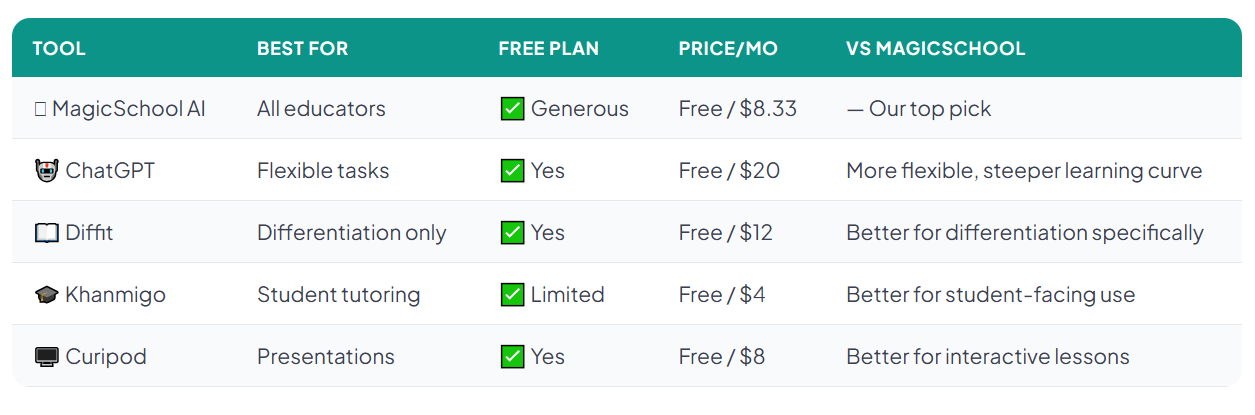
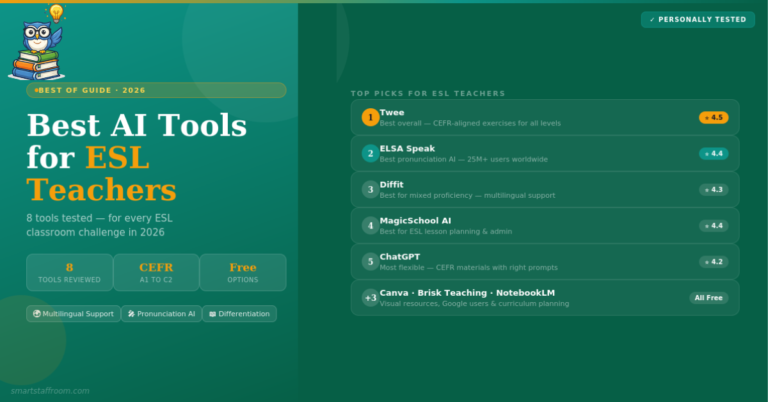
The honest comparison: ChatGPT is more flexible but requires prompting knowledge. Diffit does differentiation better in isolation but has a much narrower scope. For the majority of classroom teachers who want the fastest route to saving time — MagicSchool AI is the clear winner.
Final Verdict — Is MagicSchool AI Worth It?
🦉 Our Verdict
MagicSchool AI is the best AI platform available for classroom teachers in 2026. It is the only tool that combines education-specific tools, genuine ease of use, strong data privacy, and meaningful time savings into a single platform — with a free plan that most teachers will find genuinely sufficient for daily use.
The free plan is our starting recommendation for every educator. If you find yourself using it daily — which you likely will after the first week — upgrading to Plus at $8.33/month is one of the best value purchases you can make as a teacher.
Frequently Asked Questions
Ready to Try MagicSchool AI? 🪄
Sign up for the free plan — it takes under 2 minutes and you will save time on your very first lesson plan. No credit card required.
Try MagicSchool AI Free → See All Our Top Picks🦉 Join 1,000+ Educators
Weekly AI tool reviews · Free resources · No spam
By subscribing you agree to receive weekly emails from Smart Staff Room. Unsubscribe anytime.
Last updated: March 2026.